A local domain can make a Pakistani business look more relevant and easier to trust. Whether you want to buy a .pk domain for a company or buy a domain for an online store, you need to understand the ownership and renewal terms.

Many buyers worry about documents, registration periods, hidden charges, and technical setup. This guide explains how to buy a PK Domain, select the right extension, understand the latest official pricing, and avoid costly mistakes.
It is useful for businesses, shopping malls, e-commerce websites, service providers, organizations, bloggers, and any websites mainly targeting people in Pakistan.
What Is a .PK Domain?
A .pk domain is Pakistan’s country-code top-level domain, commonly called a ccTLD. It shows that a website is connected with Pakistan or mainly serves visitors in the country.
PKNIC operates the shared registry system for the .pk namespace. It manages .pk domain registration, maintenance, and the root DNS service for .pk domain names.
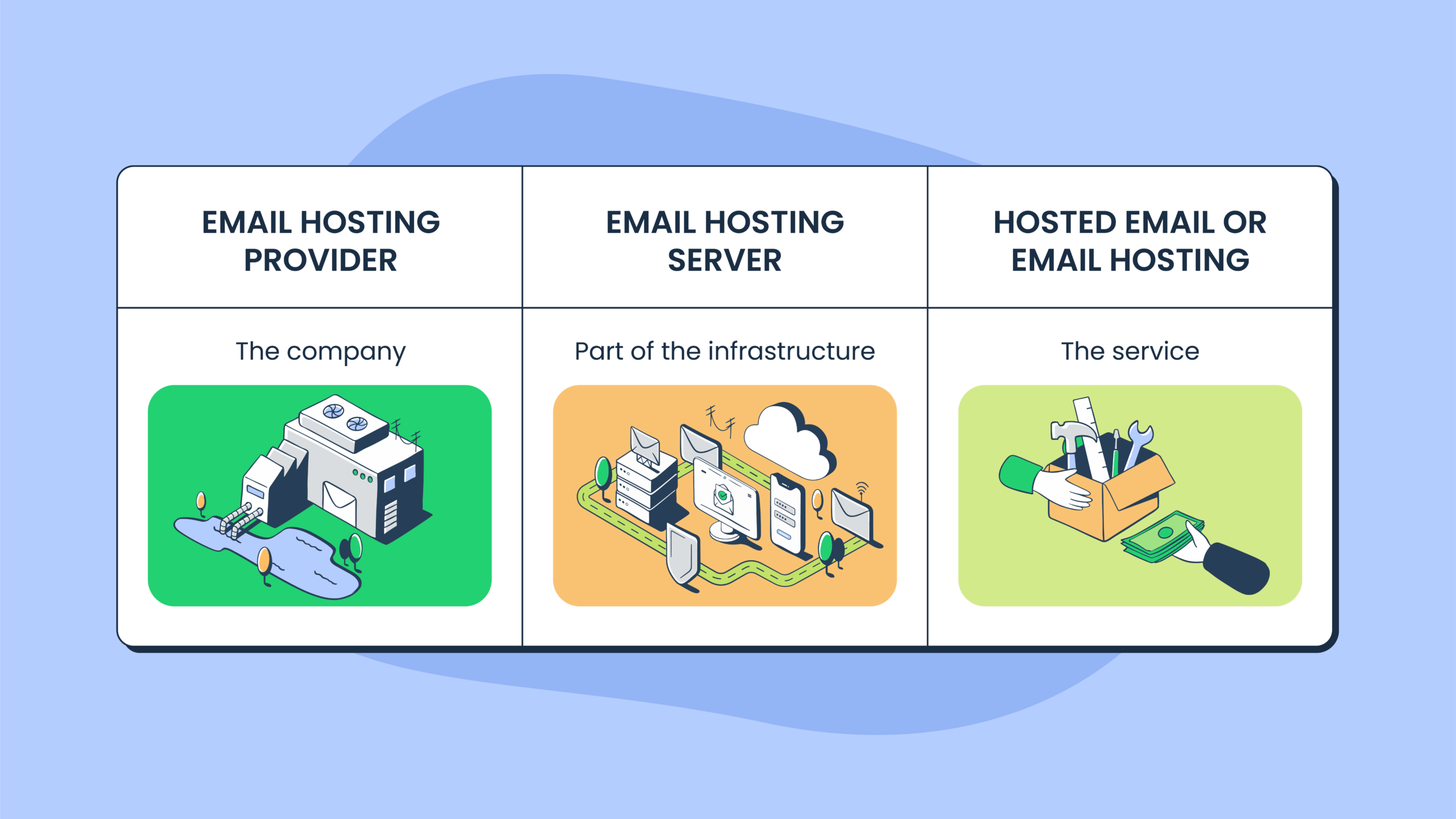
A registry manages the domain extension. A registrar or reseller helps customers register and manage domain names. A hosting provider stores website files, databases, and email.
One company may offer domain registration and hosting together, but they remain separate services. PKNIC itself does not provide website or email hosting.
Why Should You Buy a PK Domain for Your Website?
A .pk domain can support trust, brand recognition, local relevance, and professional communication.
Build Trust With Pakistani Customers
Customers may feel more comfortable visiting a website with a local extension. It tells them that the business understands their market, currency, delivery needs, and local expectations.
This can be helpful for stores, local service companies, manufacturers, shopping centers, schools, agencies, and professional websites.
Create a Strong Local Brand Identity
When you buy a PK Domain, your website becomes closely connected with the Pakistani market.
A local domain can support your branding across:
- Business cards
- Product packaging
- Store signs
- Advertising campaigns
- Social media profiles
- Professional email addresses
For example, an address such as sales@yourbrand. pk can look more professional than a free email account.
Target Visitors Searching in Pakistan
Google states that country-code domains provide a signal to users and search engines that a website is intended for a particular country.
An .pk domain can therefore support clear geographic targeting for Pakistan. However, the extension is only one signal. Your content, backlinks, business information, website speed, and technical SEO still matter.
Get a Memorable Domain Name
Your preferred .com name may already be registered. A suitable .pk or .com.pk version may still be available.
This can help you secure a cleaner domain name without adding numbers, hyphens, or confusing words.
Popular Types of PK Domain Extensions
Before you buy a PK Domain, choose an extension that matches the website’s purpose.
.pk
The direct .pk extension is short and memorable. It is suitable for businesses, brands, products, professionals, and personal projects.
A direct second-level .pk name must normally contain at least four characters before .pk.
.com.pk
The .com.pk extension is commonly used by businesses, online stores, agencies, service providers, and individuals.
It is one of the most familiar choices for companies operating in Pakistan.
.net.pk
The .net.pk extension is intended for internet, networking, telecommunications, hosting, and technology-related businesses.
.org.pk
The .org.pk extension is designed for organizations, associations, charities, and community projects.
.edu.pk
The .edu.pk extension is reserved for educational institutions with active student enrolment.
PKNIC may require registration documents, an authorization letter on the institution’s letterhead, and a CNIC copy of the signing authority.
.gov.pk
The .gov.pk extension is reserved for government departments and official bodies.
Registration requires an authorization letter on official letterhead and identification documents from the signing authority. The domain is activated after verification.
Other PK Domain Extensions
PKNIC also lists extensions such as
- .biz.pk
- .web.pk
- .fam.pk
- .ac.pk
The .ac.pk option is available for educational use without the formal accreditation requirements applied to .edu.pk.
How to Buy a PK Domain Step by Step
Follow these steps to choose, register, and connect your domain correctly.
Step 1: Choose a Domain Name
Keep your domain short, clear, and easy to spell. Select a name that represents your business without unnecessarily limiting future growth.
Avoid:
- Numbers
- Repeated letters
- Hyphens
- Unusual spellings
- Difficult abbreviations
A useful test is to say the name aloud. A customer should be able to type it after hearing it once.
Step 2: Check Domain Availability
Use the PKNIC WHOIS search or a trusted provider’s domain search tool to check which PK domain registration options are genuinely available.
Check your preferred name, common spelling variations, and related extensions. Securing more than one extension may help protect an important brand.
Before you buy a PK Domain, review possible trademark conflicts. PKNIC makes applicants responsible for ensuring that their chosen domain does not violate another party’s naming or trademark rights.
Step 3: Select a Reliable Domain Provider
Compare the provider’s:
- Reputation
- Registration fee
- Renewal cost
- Support options
- Customer control panel
- Payment methods
- Domain management tools
The provider should clearly confirm that you or your business will be listed as the registrant.
Avoid sellers who register customer domains under their own names. A low initial price is not valuable if the provider hides renewal charges or refuses to provide DNS access.
Step 4: Provide the Required Information
Enter the owner’s correct:
- Legal name
- Email address
- Phone number
- Postal address
- Business information
Restricted extensions may require supporting documents. Some providers may also request identification for account verification, payment checks, or ownership protection.
Accuracy is important. Correcting ownership details or transferring a domain between PKNIC accounts can require CNIC copies, authorization letters, affidavits, and manual verification.
Step 5: Complete the Payment
Review the registration period before making payment.
Check:
- Base registration cost
- Tax
- Reseller markup
- Payment-processing charges
- Domain management fees
- Renewal charges
PKNIC charges .pk registrations on a two-year basis, even though its published price may be displayed as an annual rate.
Step 6: Connect the Domain With Hosting
After you buy a PK Domain, connect it to your hosting account by updating its nameservers or DNS records.
You will normally need to:
- Add the domain to your hosting control panel.
- Update the nameservers or DNS records.
- Upload or install your website.
- Activate an SSL certificate.
- Create professional email accounts where required.
- Test the website and email service.
DNS changes do not become visible everywhere immediately. PKNIC updates its zone files, but full propagation also depends on internet service providers and DNS servers around the world.
Documents and Requirements for PK Domain Registration
Extensions such as .pk and .com.pk normally require accurate owner and contact information.
A registrar may also request a CNIC or other identification for verification.
Restricted extensions require additional evidence. Educational and government domains may need authorization letters and supporting documents.
Requirements may vary according to the extension and provider. PKNIC policy does not impose a general local-presence requirement, so an eligible person or company outside Pakistan can register a .pk domain.
Always buy a PK Domain under the real owner’s name. Do not let an employee, freelancer, developer, or agency become the registrant without a clear written agreement.
PK Domain Price, Registration, and Renewal Costs
The official PK domain price in Pakistan should be your starting point when comparing providers.
As of August 2026, PKNIC lists the price for a Pakistan-based registrant at PKR 2,100 per year. Because registration is billed biennially, the direct two-year registry cost is PKR 4,200.
For a registrant or registrar located outside Pakistan, PKNIC lists a fee of US$15.99 per year, billed for a two-year period.
Registration can be paid for up to ten years. PKNIC also states that its official annual renewal fee is the same as the registration fee.
A reseller may charge more because of:
- Taxes
- Payment processing
- Customer support
- DNS management
- Account-management services
- Bundled hosting products
PKNIC policy states that domain registration information is treated as public, so confirm what any paid privacy service actually covers.
When you buy a PK Domain online, compare the full two-year payment and future renewal cost—not only the promotional price.
The cheapest place to buy a PK Domain is not always the safest. Clear ownership and account control are worth more than a one-time discount.
How to Choose the Best PK Domain Provider
Compare providers based on transparency, account control, security, and support.
Transparent Pricing
The provider should clearly display:
- Registration period
- Taxes
- Service fees
- Normal renewal price
- Payment-processing charges
Watch for offers that advertise a yearly price but require a larger two-year payment at checkout.
Easy Domain Management
You should be able to manage:
- Nameservers
- DNS records
- Registrant contact details
- Renewal settings
- Account recovery options
These controls should be available through a secure customer panel.
Reliable Customer Support
Look for support channels such as
- Phone
- Live chat
- Support tickets
Responsive local support can be valuable when a payment, ownership, DNS, or document-verification problem occurs.
Secure Payment Options
Choose a provider with:
- Secure checkout pages
- Proper invoices
- Payment confirmation
- Protected customer accounts
- Login security
- Account-recovery options
Complete Ownership and Control
The domain must be registered under the correct individual or company.
Keep copies of:
- Invoices
- Registration confirmations
- Ownership details
- Account credentials
- Payment receipts
- Support conversations
Hosting and Email Integration
Some providers offer hosting and business email with domain registration.
These services can make website setup easier, but they should remain optional. Domain ownership should not depend on keeping hosting with the same company.
The best PK domain provider is not simply the cheapest seller. It is the company that gives you transparent pricing, reliable support, clear ownership, and full account control.
Questions to Ask Before Buying a PK Domain
The safest way to buy a PK Domain is to confirm ownership before payment.
Ask the provider:
“Will I have access to the nameservers, DNS records, registrant information, and renewal controls?”
A vague answer is a warning sign.
Common Mistakes to Avoid When Buying a PK Domain
Avoid these errors:
- Choosing a difficult domain name
- Using copyrighted or trademarked wording
- Registering through an unreliable seller
- Entering incorrect ownership information
- Letting a developer own the domain
- Ignoring renewal reminders
- Selecting the wrong extension
- Assuming domain registration includes hosting
- Failing to secure account-recovery details
- Losing access to the registration email
- Not keeping invoices and payment records
PKNIC is the registry and does not provide website hosting.
Resellers may sell domain registration and hosting together, but buyers should confirm exactly what each package includes.
Can a PK Domain Improve SEO?
An .pk extension gives users and search engines a signal that your website is focused on Pakistan.
This makes it a sensible choice for businesses whose main customers are located inside the country. However, the domain extension alone cannot guarantee rankings.
You still need:
- Pakistan-focused content
- Fast-loading and mobile-friendly pages
- Strong technical SEO
- Local backlinks
- Accurate business listings
- Local phone numbers and addresses
- Clear product or service information
- Secure HTTPS pages
- Helpful and original content
For a Pakistan-focused company, the decision to buy a PK Domain can strengthen geographic relevance.
A business serving multiple countries may prefer a global extension with properly organized country pages.
Frequently Asked Questions
How Can I Buy a PK Domain in Pakistan?
Choose an available name, select PKNIC or a reputable reseller, provide accurate owner details, complete the payment, and connect the domain to hosting.
How Much Does a PK Domain Cost?
PKNIC’s August 2026 rate is PKR 2,100 per year for Pakistan-based registrants, billed for at least two years.
Resellers may add tax, payment-processing fees, and service charges.
Can I Buy a PK Domain From Outside Pakistan?
Yes. PKNIC does not generally require a local presence or Pakistan-based administrative contact.
Pricing and provider-verification processes may differ for customers outside Pakistan.
What Is the Difference Between .pk and .com.pk?
.pk is a shorter general extension.
The .com.pk extension is widely used by companies, online stores, service businesses, agencies, and individuals.
Do I Need Hosting When Buying a Domain?
No.
A domain reserves your website address, while hosting stores your website files, databases, and applications.
You can buy a PK Domain first and connect hosting later.
How Long Does PK Domain Registration Take?
An ordinary registration may become usable after the registry update and DNS propagation.
Restricted or flagged applications may take longer because documents require manual verification.
Can I Transfer My PK Domain to Another Provider?
Yes, provided the domain has not expired and the ownership requirements are met.
PKNIC may request identification and authorization documents. A verified transfer may take several business days.
What Happens if I Forget to Renew My Domain?
Your website and professional email may stop working.
The domain may eventually become available for someone else to register, so renew it before the expiry date.
Final Thoughts
A strong local domain should be short, memorable, easy to spell, and registered under the correct owner.
Compare the two-year registration cost, future renewal charges, customer support, and account controls before choosing a provider.
Keep your login information, invoices, registrant details, payment records, and recovery email secure.